close
c l i p g e n i u s a i
Popular Features

Explore ClipGeniusAI superpowers

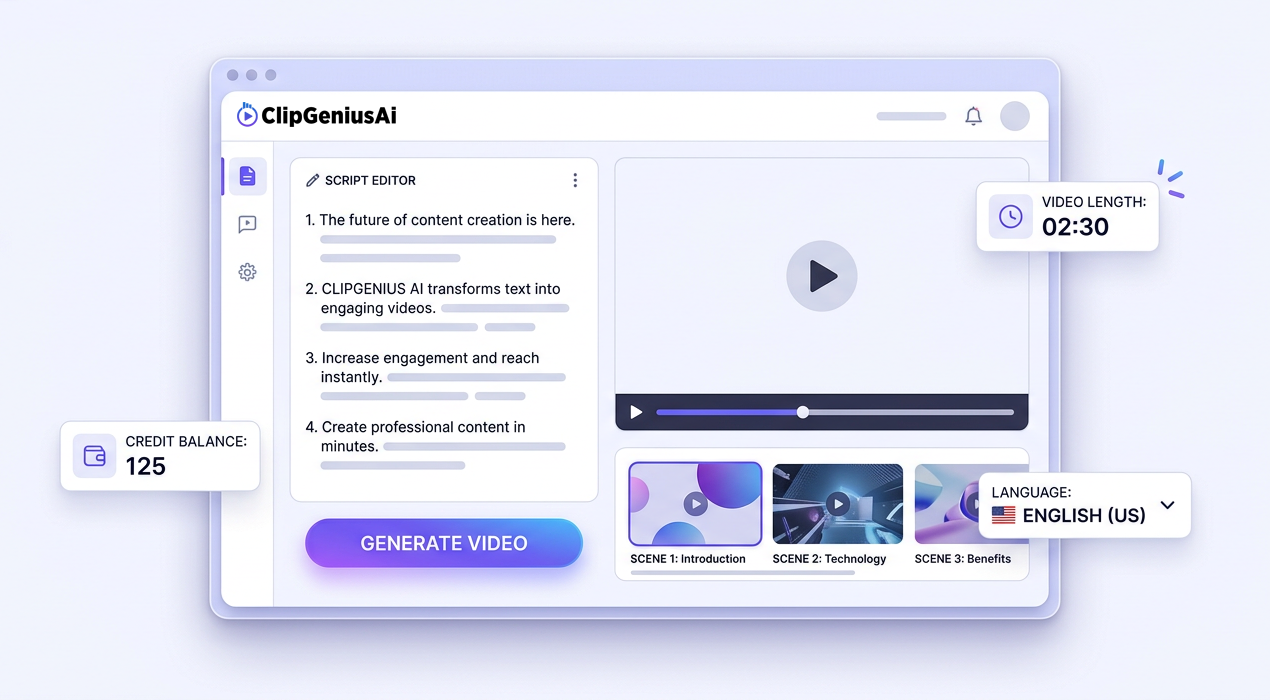
Paste your script and get auto‑generated scenes, voiceover, and timelines ready to edit in seconds.
Choose natural AI voices in multiple languages and accents to match your brand and audience.
Start with ready‑made templates, stock media, and auto subtitles to create social‑ready videos faster.
About ClipGeniusAI

Turn plain text into scroll‑stopping videos

ClipGeniusAI helps creators, marketers, and educators convert scripts, blog posts, and ideas into professional videos with AI voices, scenes, and subtitles — in just a few clicks.
  • Script‑to‑video in minutes
  • AI voices & multi‑language support
  • Templates, stock media & auto subtitles
EXPLORE POSSIBILITIES

Everything you need to create videos

ClipGeniusAI turns your ideas, scripts, and articles into ready-to-share videos with AI voices, scenes, and subtitles.

Script‑to‑Video Engine

Paste your script and let AI generate scenes, timing, and a complete video layout in minutes.
Learn more

AI Voices & Avatars

Choose natural AI voices and on‑screen avatars in multiple languages for any audience.
Learn more

Templates & B‑roll

Use ready‑made layouts, stock footage, and background music to match your brand and platform.
Learn more

Auto Captions & Translations

Generate accurate subtitles and translate them into multiple languages with one click.
Learn more

Credit‑Based Rendering

Pay only for what you render with transparent, credit‑based pricing tied to video length.
Learn more

Team & Client Workflows

Save drafts, share previews, and manage multiple projects for clients from a single dashboard.
Learn more
General FAQ’s

Frequently asked questions about ClipGeniusAI

Is there a free plan or trial?

How do credits and video length work?

Credits are based on final video duration. 1 credit equals 30 seconds of rendered video. Previews are free and don’t use any credits.

Can I use the videos for commercial projects?

All paid plans include commercial usage rights, so you can publish your videos on social media, ads, courses, and client projects.

Do I need editing skills or special software?

No. Everything runs in your browser. Just write or paste your script, choose a style and voice, and ClipGeniusAI handles the editing for you.

0%
Creators who publish
videos more consistently
0%
Average time saved
on video production
0%
Users who would
recommend ClipGeniusAI
Pricing & plans

Choose the right plan for your videos

  • Monthly
  • Yearly (save 20%)
Free Explorer

$0

Per Month

Test ClipGeniusAI with limited credits and watermark output.

  • 10 one-time credits
  • 1 video download (720p)
  • Max 30s per video
  • Watermark on all videos
  • Community support
Get Started Free
Starter Boost

$10

Per Month

Perfect for creators who publish regularly every month.

  • 120 credits / month
  • Up to 60 min total video
  • Max 60s per video
  • 1080p HD exports
  • Email support
Choose Starter
Creator Pro

$35

Per Month

For agencies and power users creating videos at scale.

  • 360 credits / month
  • Up to 180 min total video
  • Max 3 min per video
  • Premium voices & avatars
  • Priority support
Choose Pro
Starter Boost

$96

Per Year

All Starter features with 20% savings on yearly billing.

  • 120 credits / month
  • Credits reset monthly
  • 1080p HD exports
  • Commercial usage
  • Email support
Choose Starter Yearly
Creator Pro

$336

Per Year

Save 20% on our most popular plan for serious creators.

  • 360 credits / month
  • Premium voices & avatars
  • Custom backgrounds & music
  • Commercial usage rights
  • Priority support
Choose Pro Yearly
Custom / Enterprise

From $120

Per Month (billed yearly)

High-volume teams needing custom credits, 4K, or API access.

  • 1,500+ credits / month
  • 1080p / 4K output
  • Brand kit & team seats
  • Optional API access
  • SLA-based support
Talk to Sales
Latest from ClipGeniusAI

Tips, updates & case studies

How to turn scripts into videos in under 5 minutes

Learn the fastest workflow to paste your script, pick a style, and export a ready‑to‑share video.

7 ways creators use ClipGeniusAI for daily content

From YouTube shorts to course lessons, see how users repurpose text into engaging videos.

New voices, languages, and templates now live

Discover the latest AI voices, caption styles, and templates added for faster video creation.

Ready to turn your text into video?
Join creators using ClipGeniusAI